
Intento Translation Portal
Company-approved AI translation for every employee
Give employees one place to translate text and documents in 650+ languages and dialects. Configure AI workflows for company terminology and tone of voice, then make them available through the portal with company sign-in. Customize the branding, access settings, and translation options for your organization.

650+ languages and dialects
Translate everyday documents across global teams.
Company terminology and style
Configured AI workflows apply your language requirements, check translations, and repair the errors.
Documents, scans, and subtitles
Translate Office files and other supported formats in one portal.
Unlimited seats
Give every employee access. You pay for translation volume.
Translate Office files, PDFs, scans, and subtitles in one portal
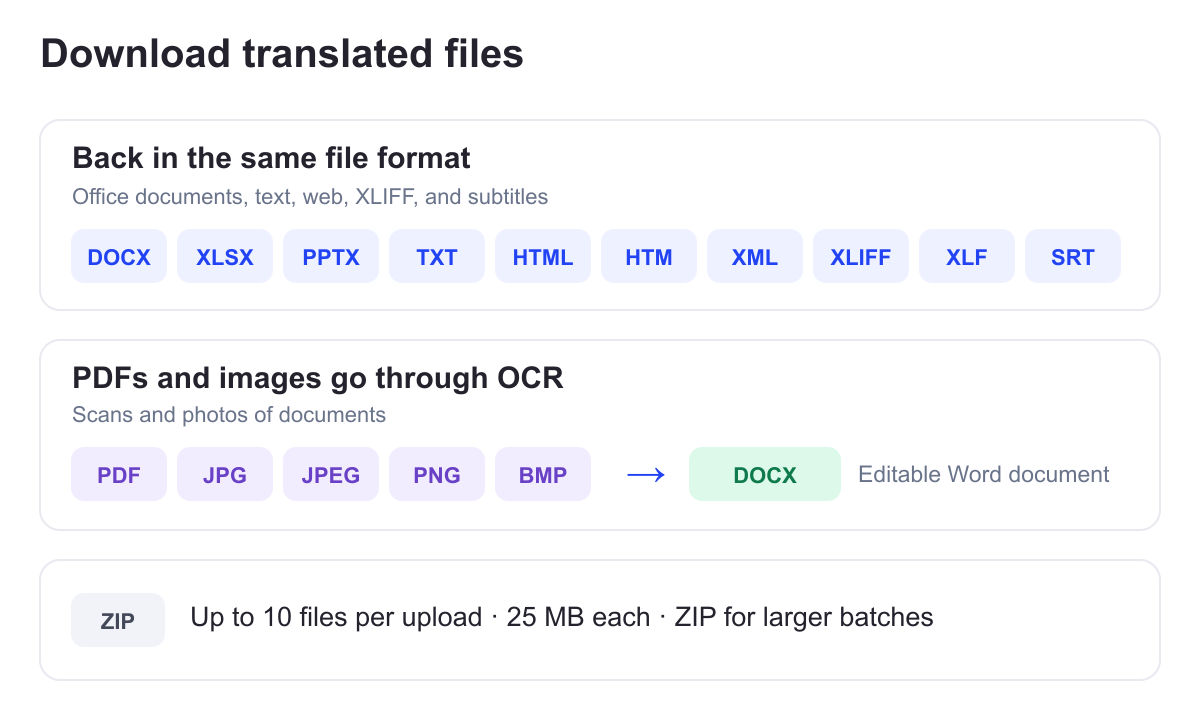
Paste text or upload documents. Supported extensions include DOCX, XLSX, PPTX, PDF, JPG, JPEG, PNG, BMP, TXT, HTML, HTM, XML, XLIFF, XLF, SRT, and ZIP.
Word, Excel, PowerPoint, text, HTML, XML, XLIFF, and subtitle files return in the same file format. PDFs and images go through optical character recognition (OCR) and come back as editable Word documents.
Upload up to 10 files at a time, up to 25 MB each. Use a ZIP archive for larger batches, and download previous translations from your file history.

Pay for translation volume, not seats
Give every employee access with unlimited seats. You pay for translation volume.
Set usage limits and alerts to manage spend as more teams adopt the portal.
Give employees an approved place to translate company documents
Employees sign in through company single sign-on. Your administrators choose the AI solutions offered in the portal, and Intento applies its “no share, no use, no trace” data terms with AI vendors.
We configure the portal for your access and deployment requirements. Custom options include IP allowlisting and notices linked to your data-classification rules.
Check translations against company terminology and style
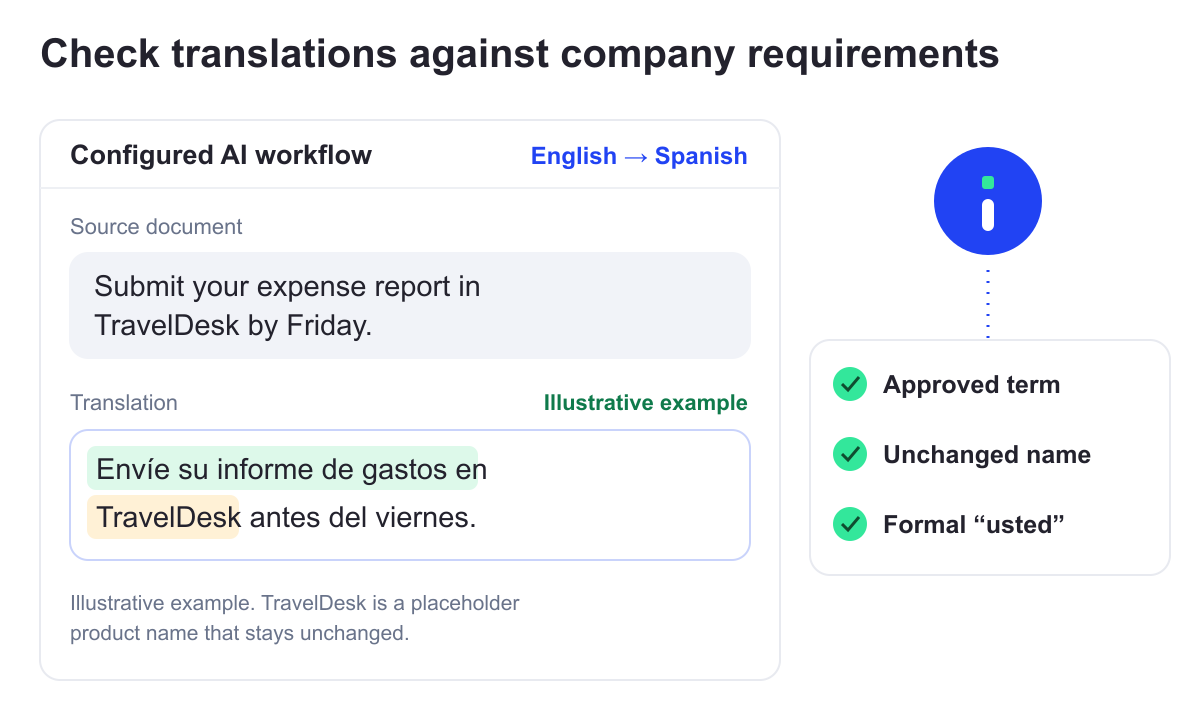
Configured company AI workflows check translations against approved terminology, terms that must stay unchanged, tone of voice, and formatting requirements. They repair the errors before employees download the result.
The localization team manages the rules. Employees translate everyday documents themselves, without submitting each request to that team.
Bring the same translation workflows to every team
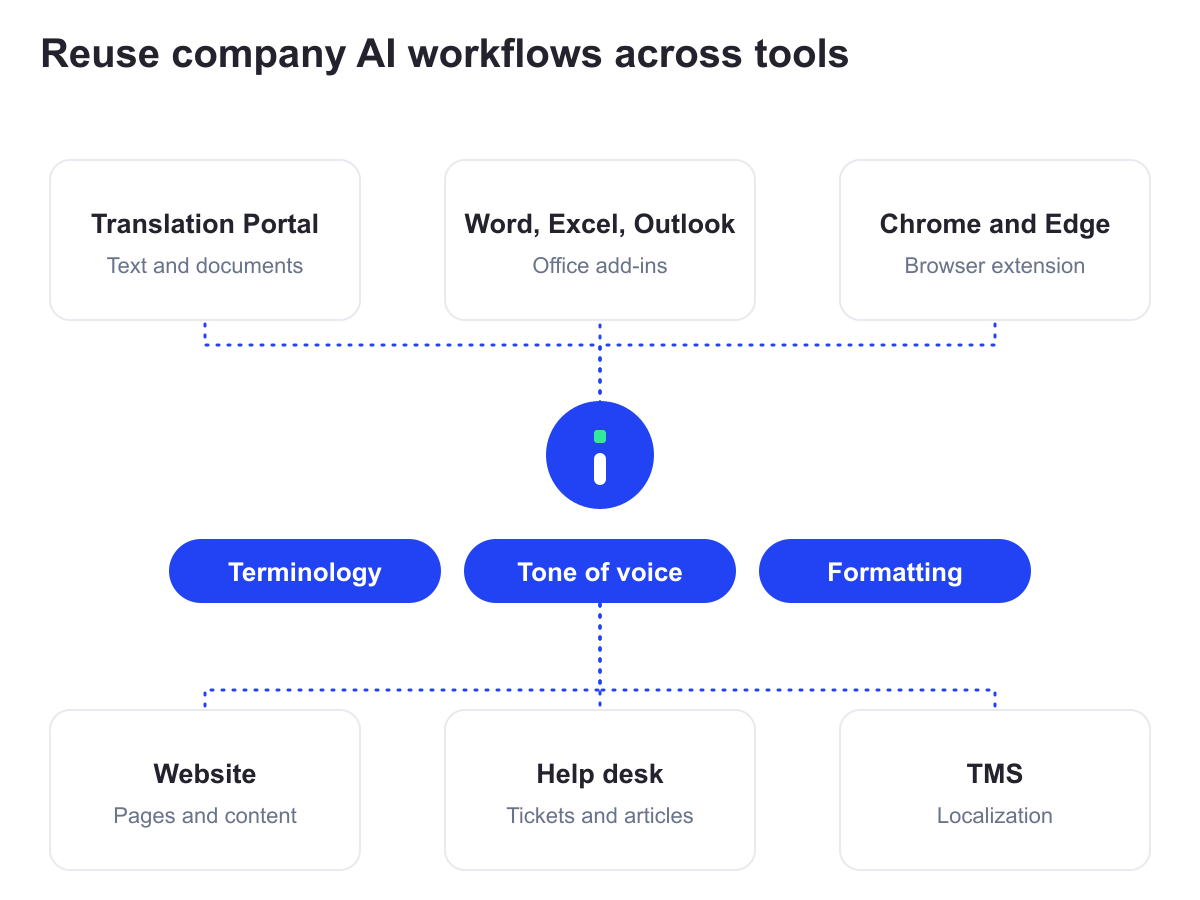
Configure AI workflows for company terminology and tone of voice, then use them in the portal and connected systems such as your website, help desk, and translation management system (TMS). Workflows from a TMS integration also work in the portal.
The enterprise package includes translators for Word, Excel, Outlook, Chrome, Edge, Windows, and Mac. These tools can connect to the same company AI solutions.
Your localization team manages the language requirements while employees translate everyday documents themselves.
For translation inside the ServiceNow Service Portal, see Intento Translation Portal for ServiceNow.
Use AI from any vendor
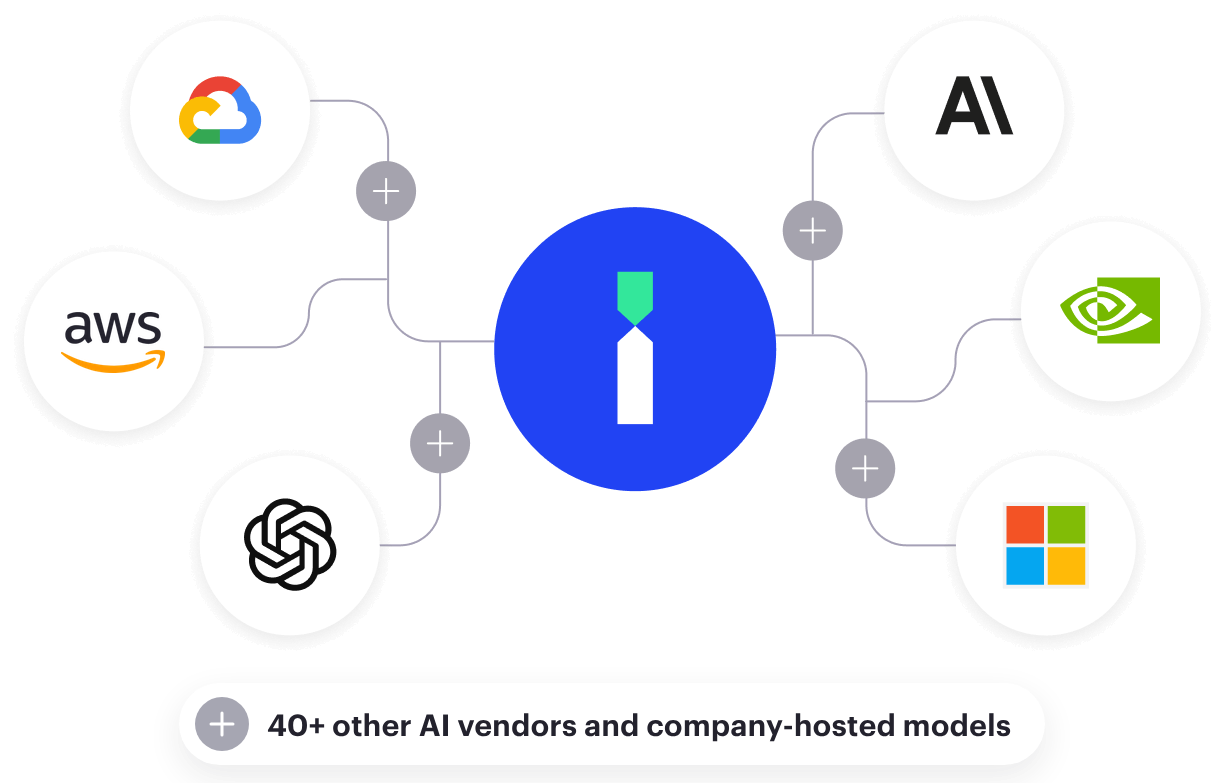
Use your preferred AI vendor or combine models from multiple vendors in your translation workflows.
The portal also supports company-hosted models and custom machine translation models trained on company data.
Make the portal fit your organization
Use a company domain and branding, choose the translation options on the menu, and add access settings and workflows for your organization.
Some options are configured in the standard portal. Others are customizations, delivered through a custom portal project with ongoing maintenance. We scope the work with you and host the portal.
Configuration = set up for your organization in the standard portal. Customization = built for your organization in a custom portal project.
Branding and sign-in
- Customization: A company web address, such as translate.yourcompany.com
- Customization: Company logo, colors, fonts, and light and dark modes
- Configuration: Company single sign-on and sign-out, with an app-launcher tile
- Configuration: Direct access to the company portal from Intento Console
- Customization: A company terms-of-use screen on first access
- Customization: Interface languages and wording tailored to your organization
- Customization: Help pages and guidance on the right translation option for each type of content
- Customization: Links to your IT help desk, translation-request tools, and portal administrators
- Customization: An embedded portal within your company intranet
Access and data settings
- Configuration: Deployment in a US, EU, or dedicated data center
- Customization: Geographic access restrictions to support export-control policies
- Customization: IP allowlisting in addition to company single sign-on
- Customization: Data-handling notices on the page and at download, linked to company classification rules
- Customization: Optional translation caching, with warnings for restricted data
- Configuration: Usage limits and alerts, including character limits per translation job
Translation requests and feedback
- Customization: Self-service machine translation plus requests for agency translation and expert review, submitted as projects in your TMS with legal-entity and billing details
- Configuration: Employee feedback with a suggested correction
- Customization: Feedback saved alongside the original translation
Translation options and languages
- Configuration: An allowed list of company AI solutions on the menu
- Customization: Individual translation engines hidden from the menu
- Configuration: Preselection when only one approved solution is available
- Customization: Automatic solution selection by language pair, with a fallback for other pairs
- Customization: Separate menus for administrators and employees
- Configuration: Allowed language pairs
- Customization: Company language lists, language groups, and display names
- Configuration: Automatic language detection configured to work with company solutions and glossaries
Advanced file handling
- Configuration: PowerPoint presentations up to 250 MB
- Customization: Additional formats, such as JSON and XLIFF variants
- Customization: Different translation workflows by file type, such as subtitles
- Customization: Multiple target languages in one job, with results in a single ZIP download
- Customization: Machine-translation watermarks on translated DOCX and PPTX files
Leave portal hosting and maintenance to Intento
We host the portal and maintain the software, including fixes and updates to supported functionality. Your IT team does not need to operate the portal infrastructure.
For a custom portal, we define the project and ongoing maintenance scope with you.
Get expert help from Intento Language Engineers
Intento Language Engineers can identify your language requirements, build translation workflows, and evaluate them using your documents.
For a custom portal, they can scope branding, domain, sign-in, and access requirements, with ongoing support defined for the project.
Company sign-in and deployment options
- Single sign-on with SAML or OIDC, including Microsoft Entra ID, Okta, and Auth0
- US, EU, or dedicated data-center options
- “No share, no use, no trace” data terms with AI vendors
- Intento is certified to ISO/IEC 27001 and ISO 9001:2015
Administration and usability
- Per-user usage reporting in Intento Console
- Portal menus and buttons in 13 languages
Explore a Translation Portal built around your requirements
Discuss your documents, language requirements, and access needs with our team.
Product names and logos belong to their owners. They identify AI model providers and do not imply endorsement.
Solutions
Menu
Integrations
Menu
Services
Menu
Menu
Resources
Menu