
Intento Language Hub for Genesys Cloud
Real-time chat and email translation that meets company requirements
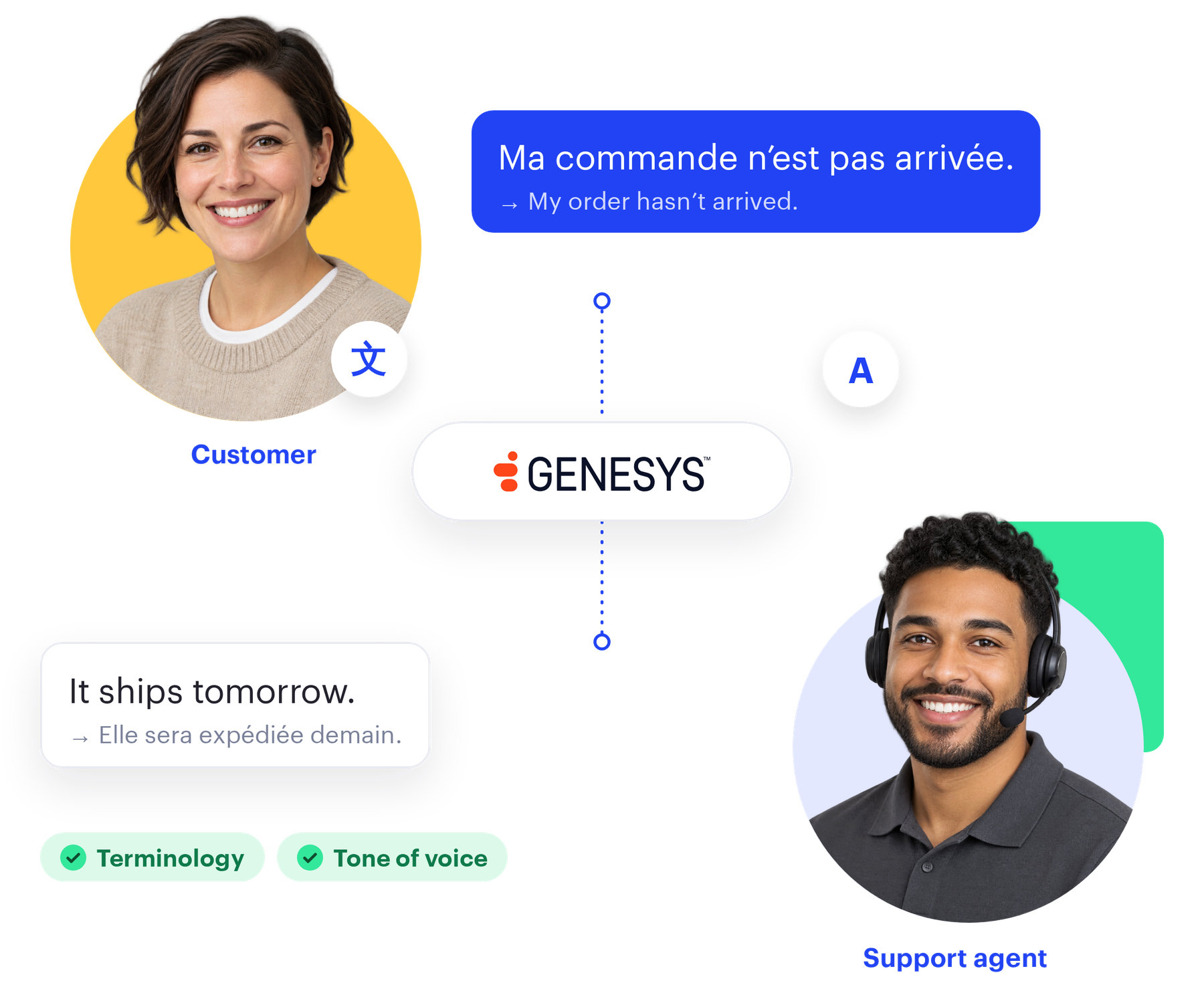
Customers write in their own language, and your support agents read and reply in theirs, in chat and email inside the Genesys Cloud agent workspace. Intento AI Agents apply the product names, terminology, and tone of voice configured for each language, check the translation, and repair what fails before the customer reads it. The app can also check replies for offensive and harmful content before they go out.
Available on Genesys AppFoundry · Chat and email in the agent workspace
650+ languages and dialects
Translate chat and email to meet your terminology, tone of voice, and formatting requirements.
Meets your terminology and style
Intento AI Agents, built on AI models from 50+ providers, apply company requirements such as terminology, tone of voice, and formatting, and repair what fails.
Chat and email in one app
Support agents translate both channels in the agent workspace, with nothing to install.
Content safety before send
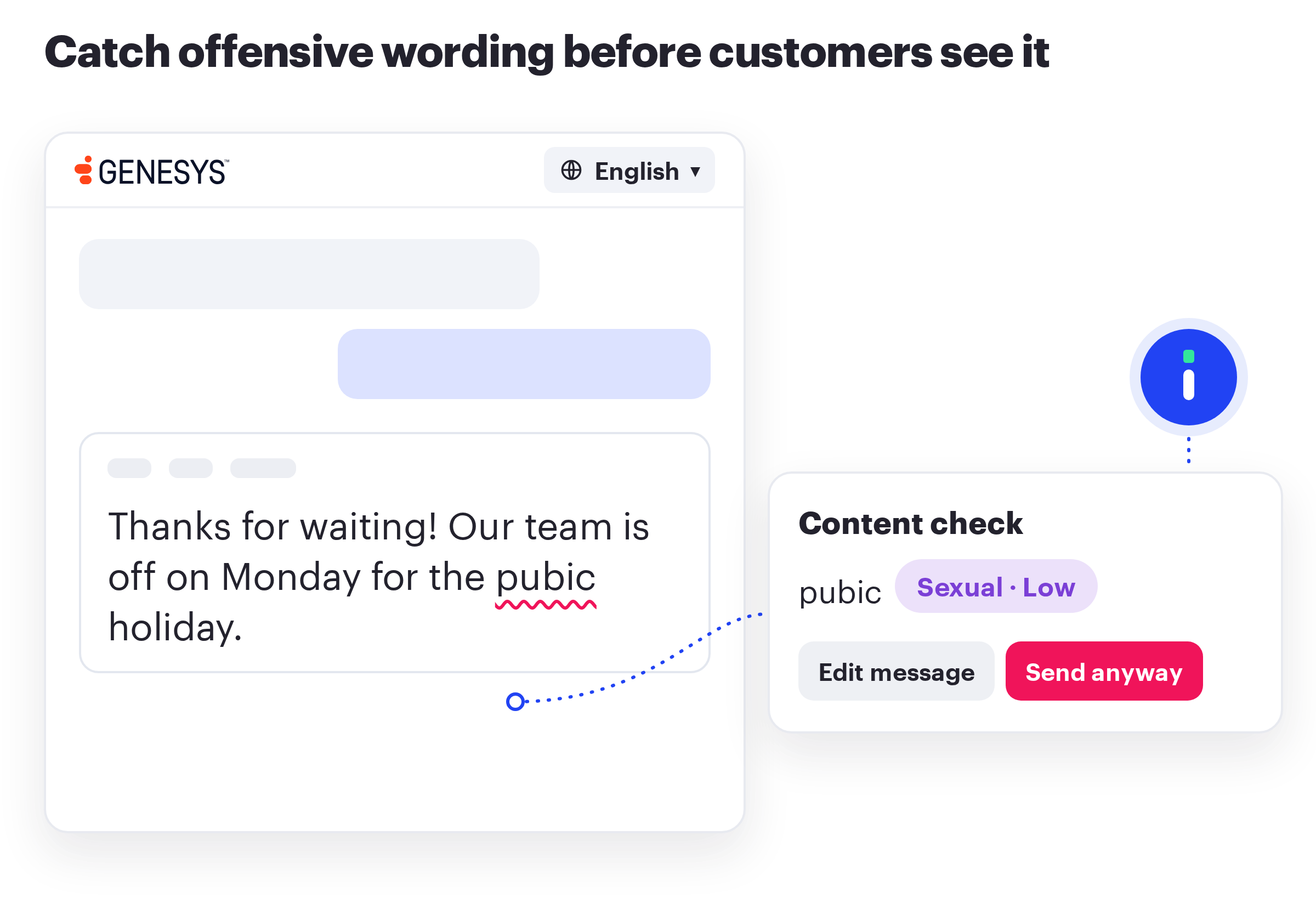
Check replies for hate, violence, sexual, and self-harm content, and for words on your company blocklist.
Support agents and customers each write in their own language
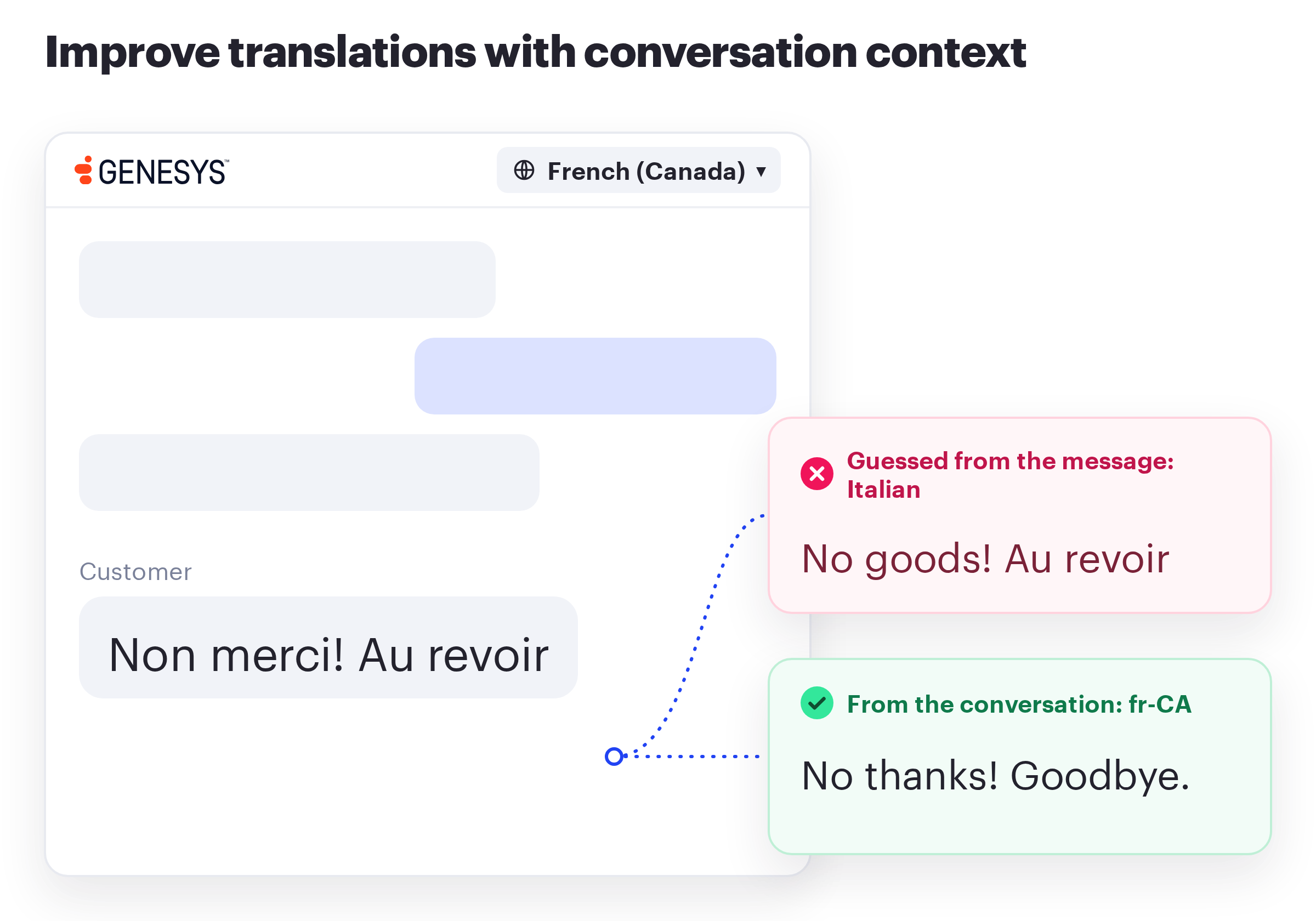
Customer messages appear in the working language of the support agent, and replies reach the customer in the customer language. Intento Language Hub takes that language from the conversation context, including regional variants such as Canadian French and British English, instead of guessing it from a few words.
Intento Language Hub translates during the live conversation, between the support agent and the customer, with company requirements applied. Supervisors can later read the transcript or summary in their own language.
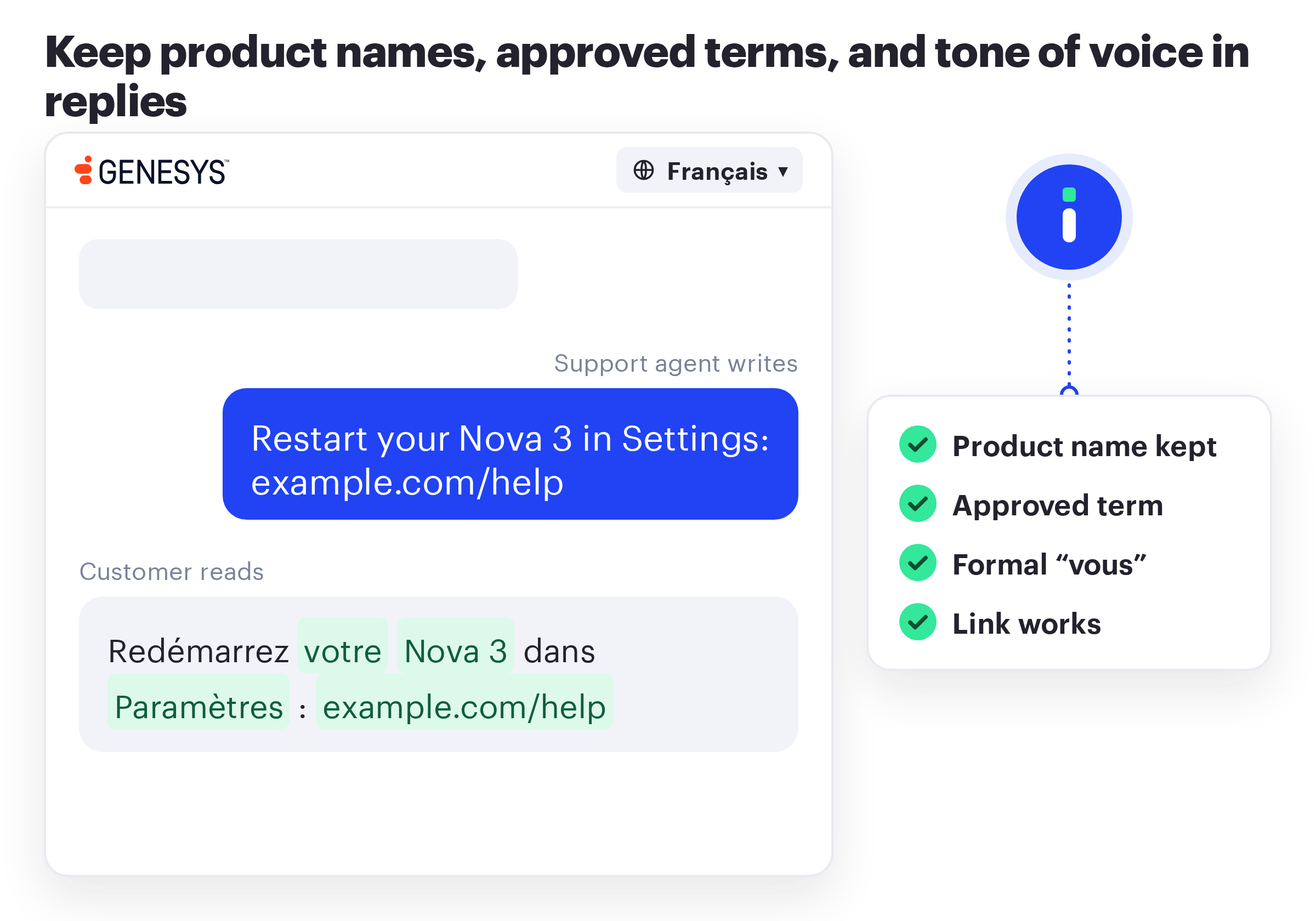
Replies keep your product names, terminology, and tone of voice
Company requirements include company product names and terminology, and the desired tone of voice, such as a formal “vous” in French. Intento Language Hub applies the terminology your company already maintains, so when your terminology team fixes a term, the next chat has it. Replies match the tone of your website in each market.
Each language runs on a translation workflow built from 50+ machine translation engines and large language models, with fast machine translation for chat and heavier generative AI for email. Intento AI Agents check each translation against the requirements and repair what fails. If the preferred model isn’t available or hallucinates, the workflow switches to a backup.
Content safety checks replies before customers see them
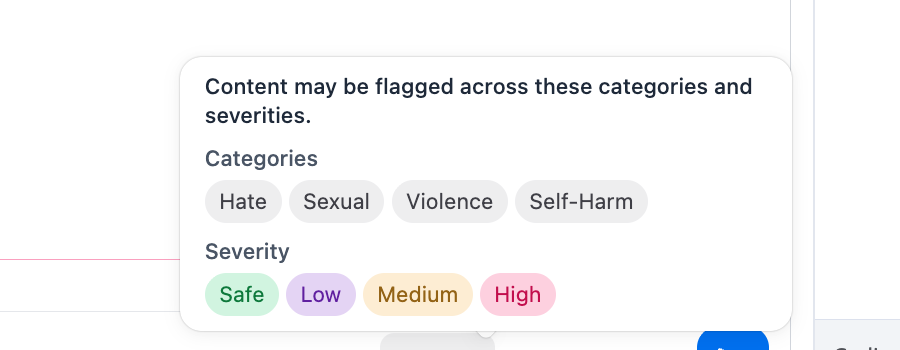
Before a reply goes out, the app can check it for hate, violence, sexual, and self-harm content, and for words and phrases on your company blocklist. It highlights flagged segments by severity, and the support agent edits the message or sends it anyway.
Support agents run the check with one button, or admins turn on the automatic check for chat, email, or both. In email, the check covers the subject line too. If the content-safety service is unreachable, messages still go out.
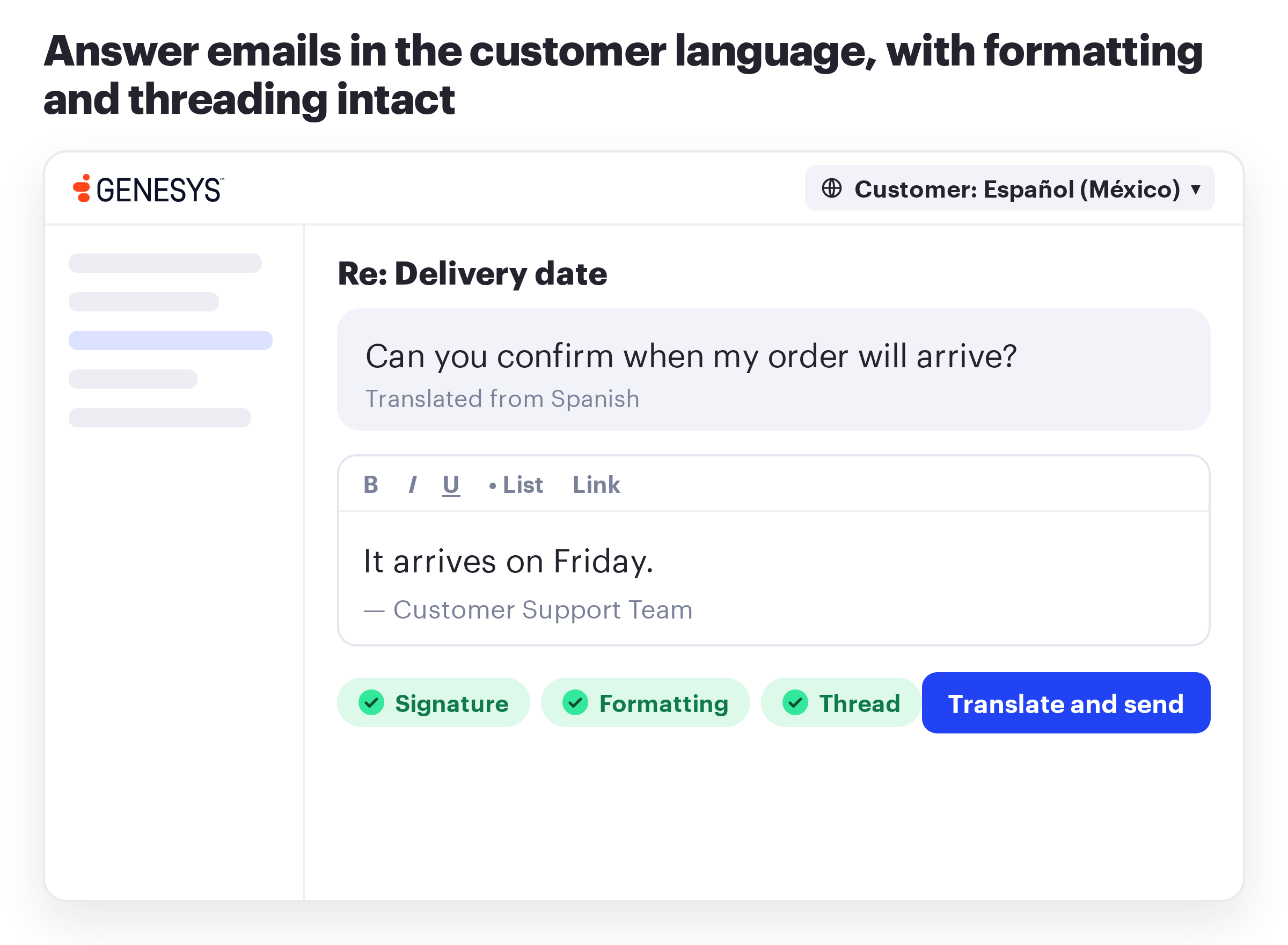
Support agents answer emails in the customer language without leaving Genesys Cloud
The app shows the incoming email in the working language of the support agent, next to a composer with the same features as the native Genesys Cloud composer. The reply goes out in the customer language with signatures, formatting, and threading intact. For a final edit, the support agent can switch to the native UI.
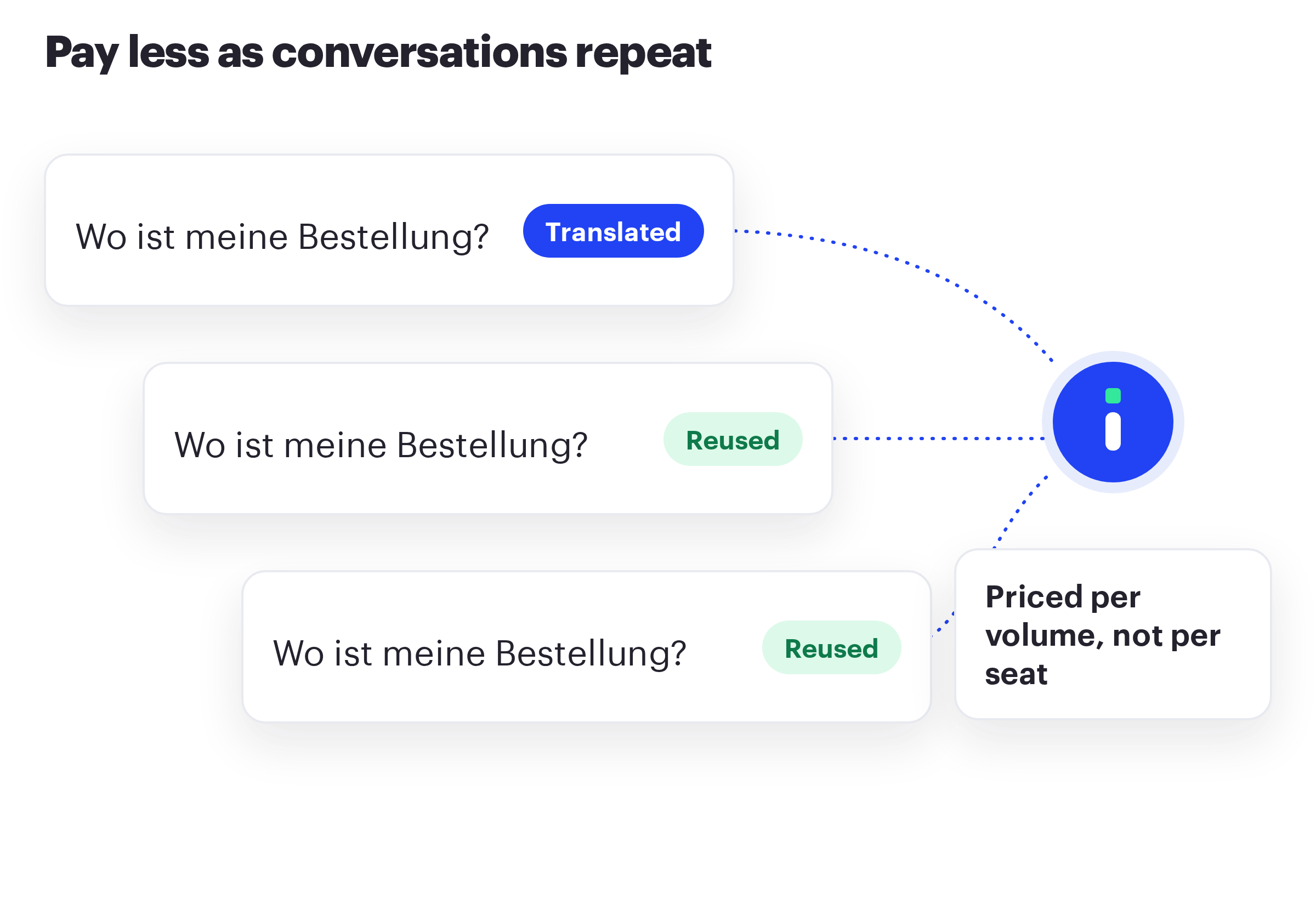
Translation costs fall as conversations repeat
Intento Language Hub caches translations to save on repeated ones and charges per volume, not per seat. Your team can edit cached translations at any time. When a support agent corrects a translation, later conversations reuse the fix.
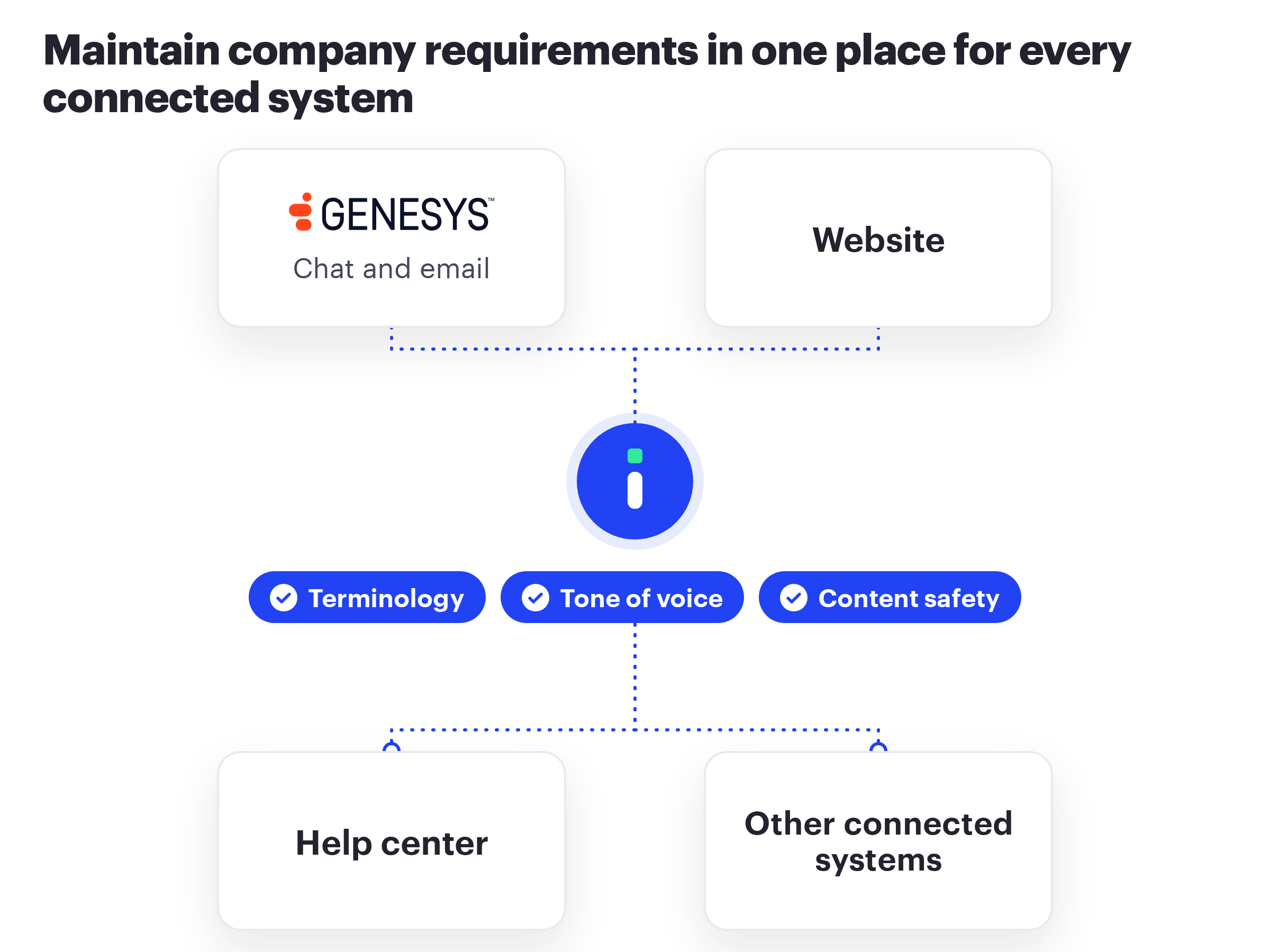
One set of requirements covers the contact center and the rest of the company
The terminology and tone rules your localization team maintains for the website and help center also apply to customer chats and emails. The team updates them in one place, and connected systems use the update.
The same Language Hub configuration serves other connected systems, including ServiceNow, help desks, and content management systems.
Intento Language engineers can configure the translation workflows for you
If you need help, Intento Language engineers will identify your requirements for each language, configure the translation and quality workflows in Language Hub, and update them as models and requirements change. No in-house AI expertise needed.
The app runs inside Genesys Cloud, under Genesys Cloud sign-in and roles
- Runs in the Genesys Cloud agent workspace. Support agents install nothing, and Genesys Cloud conversation routing and the workspace layout stay unchanged.
- Support agents sign in once, through a Genesys Cloud OAuth client. The app never handles their passwords.
- Only the Genesys Cloud roles you name can change content-safety settings.
- A separate Intento API key for each region or team keeps usage and quotas apart.
- Content safety runs in the same Intento request as the translation and doesn’t add Genesys Cloud API calls.
- Intento is ISO/IEC 27001 certified and GDPR compliant.
See live chat and email translation in your Genesys Cloud workspace
Solutions
Menu
Integrations
Menu
Services
Menu
Menu
Resources
Menu