
Intento Translation Portal for ServiceNow
Self-service AI translation that meets company requirements
Employees translate text and documents on demand inside the Service Portal, without filing a ticket or pasting content into external translation websites. AI agents check translations against the terminology, tone of voice, formatting, and compliance rules configured for the selected workflow, and correct errors before returning the results. Administrators decide which languages and translation workflows employees can use, and review translation jobs in a standard ServiceNow list view.
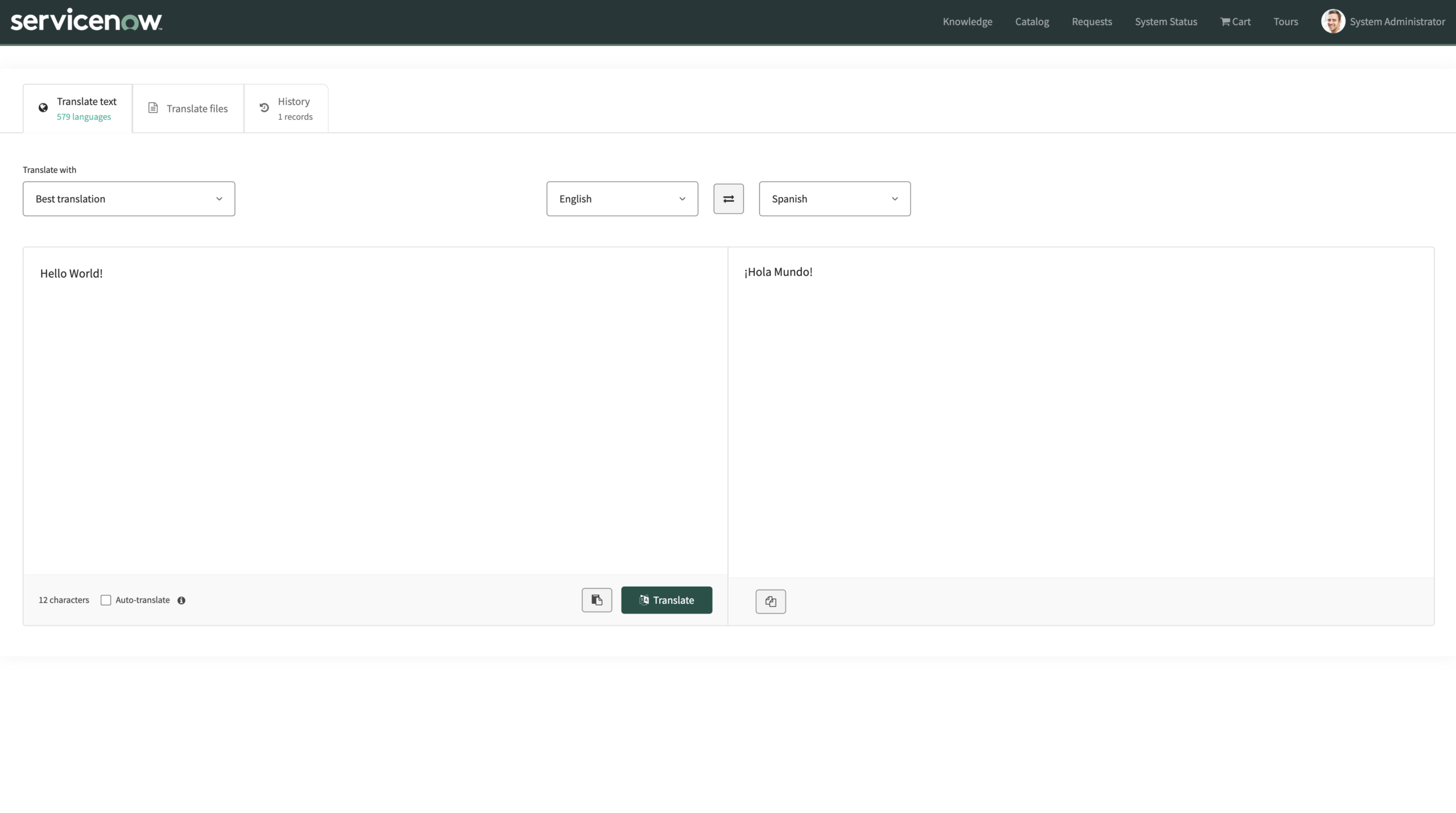
Certified ServiceNow Store app · ServiceNow Zurich and Australia
650+ languages and dialects
Translate content to meet your terminology, style, and compliance requirements.
50+ providers
Connect to machine translation and generative AI providers, as well as in-house AI deployments.
11 file formats
Upload docx, xlsx, pptx, txt, html, xml, xliff, jpeg, png, or bmp. Download translations in multiple languages as a ZIP file.
Full audit trail
Each translation record includes the requesting user, date and time, source and target languages, AI provider, character count, processing time, and status.
Translate text and files in the portal employees already use
The Translation Portal is a widget on a Service Portal page. Employees paste text or upload a file, choose one or several target languages, and get the result in the same place. Word, Excel, and PowerPoint files, plus txt, html, xml, and xliff, come back in their original format. Scans and photos (jpeg, png, bmp) come back as a Word document with the translated text. Employees can download all translated versions in one ZIP file.
ServiceNow Dynamic Translation covers form fields, chat, and knowledge articles. The portal adds on-demand translation of free-form text and documents.
Employees can revisit past jobs, copy or download translated content, and delete entries from their private history. The portal interface (tabs, buttons, menus) follows the language selected in the ServiceNow user profile and supports ten languages: English, Chinese, Spanish, Arabic, Portuguese, French, Japanese, German, Russian, and Korean.
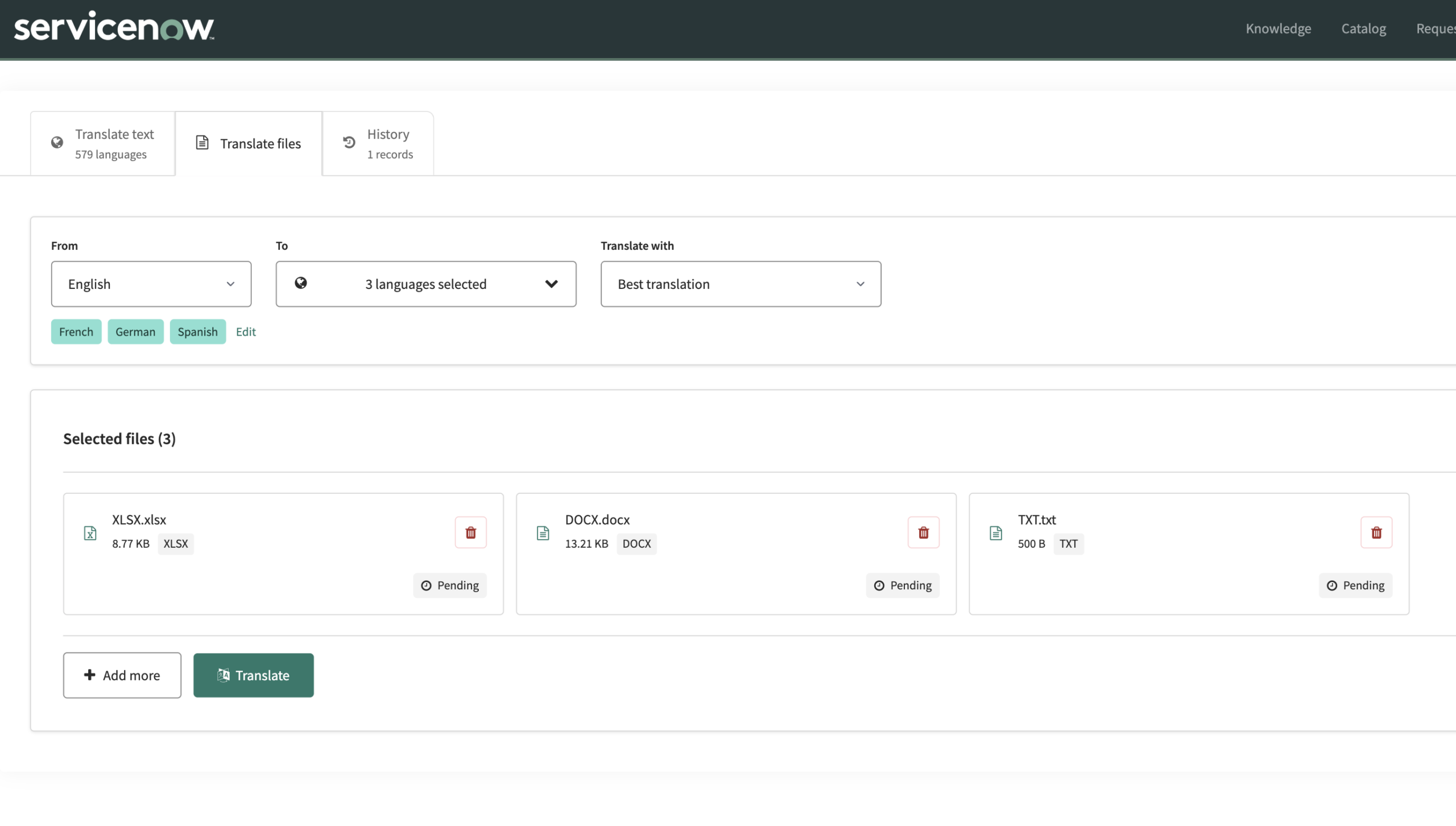
AI agents check translations against company requirements
Company requirements include approved product names, tone of voice, formatting conventions, and wording approved by legal or compliance teams. Fluent text can still use the wrong product names or miss these requirements. The portal sends requests to Intento Language Hub, which provides access to 50+ machine translation and generative AI providers. AI agents produce translations, check them against the requirements configured for the workflow, and correct errors before the employee sees the results.
Central control and a translation audit trail
Administrators set allow or block lists for source and target languages, translation providers, and routing options that determine how requests are processed. Administrators configure these restrictions in the Advanced Configuration widget or through system properties. By default, the filters impose no restrictions.
The portal records each translation job in a standard ServiceNow list view: who requested it, source and target language, provider, character count, and processing time. Employees see their own history, while administrators can filter and review translation jobs across the organization.
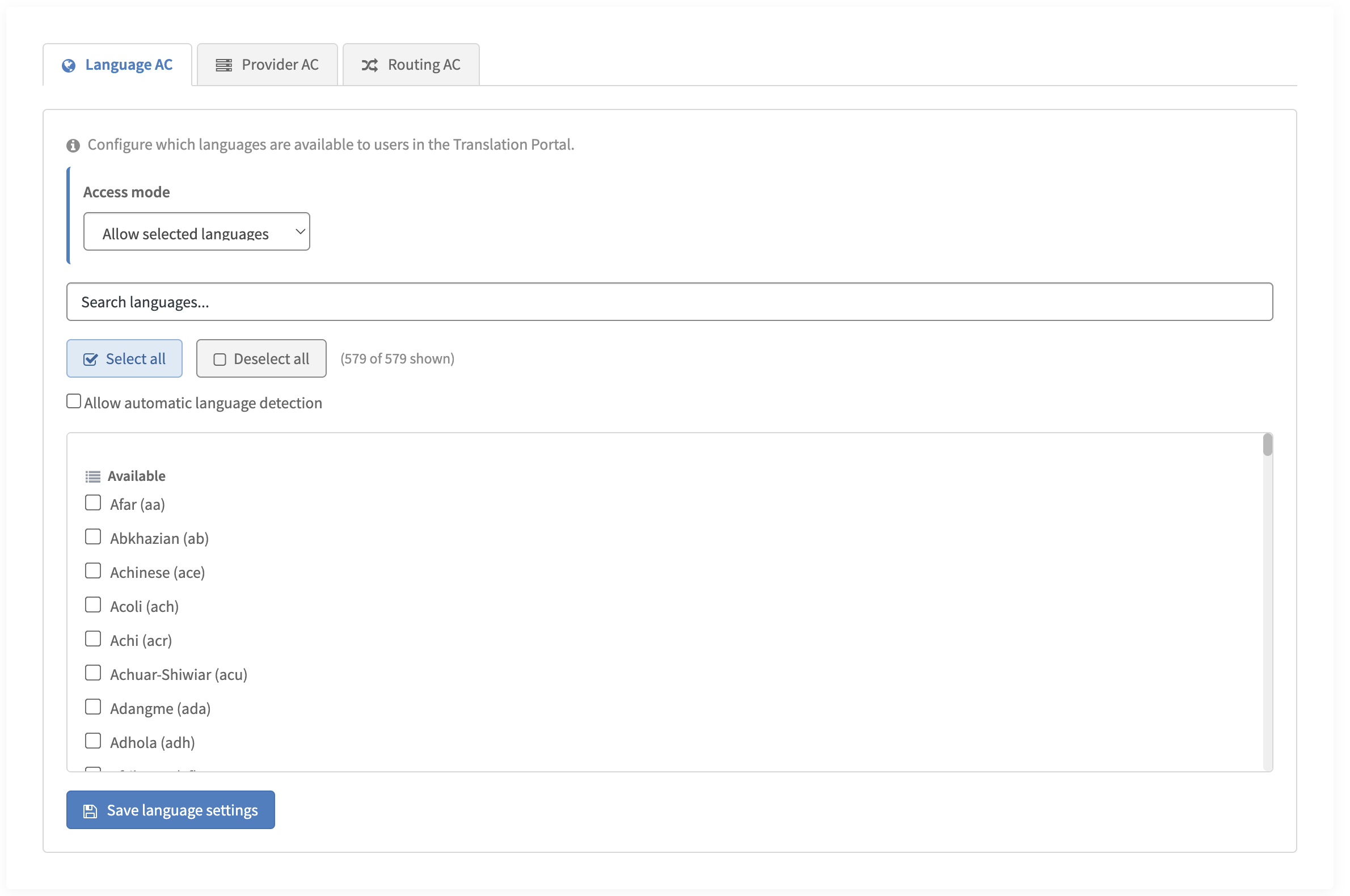
One set of requirements across ServiceNow and beyond
Teams maintain shared terminology and tone-of-voice rules in Language Hub for use across connected translation workflows. Employees don’t need to configure those rules for each request.
Intento Language Hub for ServiceNow translates knowledge articles, chats, and forms through ServiceNow Dynamic Translation. Intento Translator translates Service Portal pages as employees read them. Language Hub also serves other connected systems, including help desks and content management systems.
Intento Language engineers configure and maintain the translation workflows
Intento Language engineers identify company requirements, configure the translation and quality workflows in Language Hub, and update them as models and company requirements change. The ServiceNow administrator installs the app, adds the API key, and assigns roles. No in-house AI expertise needed.
Security, access, and compatibility
- Certified in the ServiceNow Store. ServiceNow reviewed the app for security, performance, and platform compatibility. Your own security review still applies. The Store listing includes an installation guide to support your review.
- Employees need no elevated roles. The app keeps the Intento API key in a Connection & Credential Alias and reads it only inside a subflow running as the system user, never in user-facing code.
- The app leaves standard ServiceNow tables unchanged and supports ServiceNow Zurich and Australia.
- Intento is ISO/IEC 27001 and ISO 9001:2015 certified.
Installation and administrator guide
Install from the Store, add your Intento API key to the Connection & Credential Alias, assign the user and administrator roles, and place the widget on a portal page. The guide covers each step, the allow/block list properties, and troubleshooting.
See the Translation Portal in your own ServiceNow instance
Solutions
Menu
Integrations
Menu
Services
Menu
Menu
Resources
Menu